The era of the "if/else" chatbot is dead. For decades, building a conversational interface meant painstakingly mapping out decision trees, anticipating every possible user input, and writing rigid Regular Expressions that broke the moment a user made a typo.
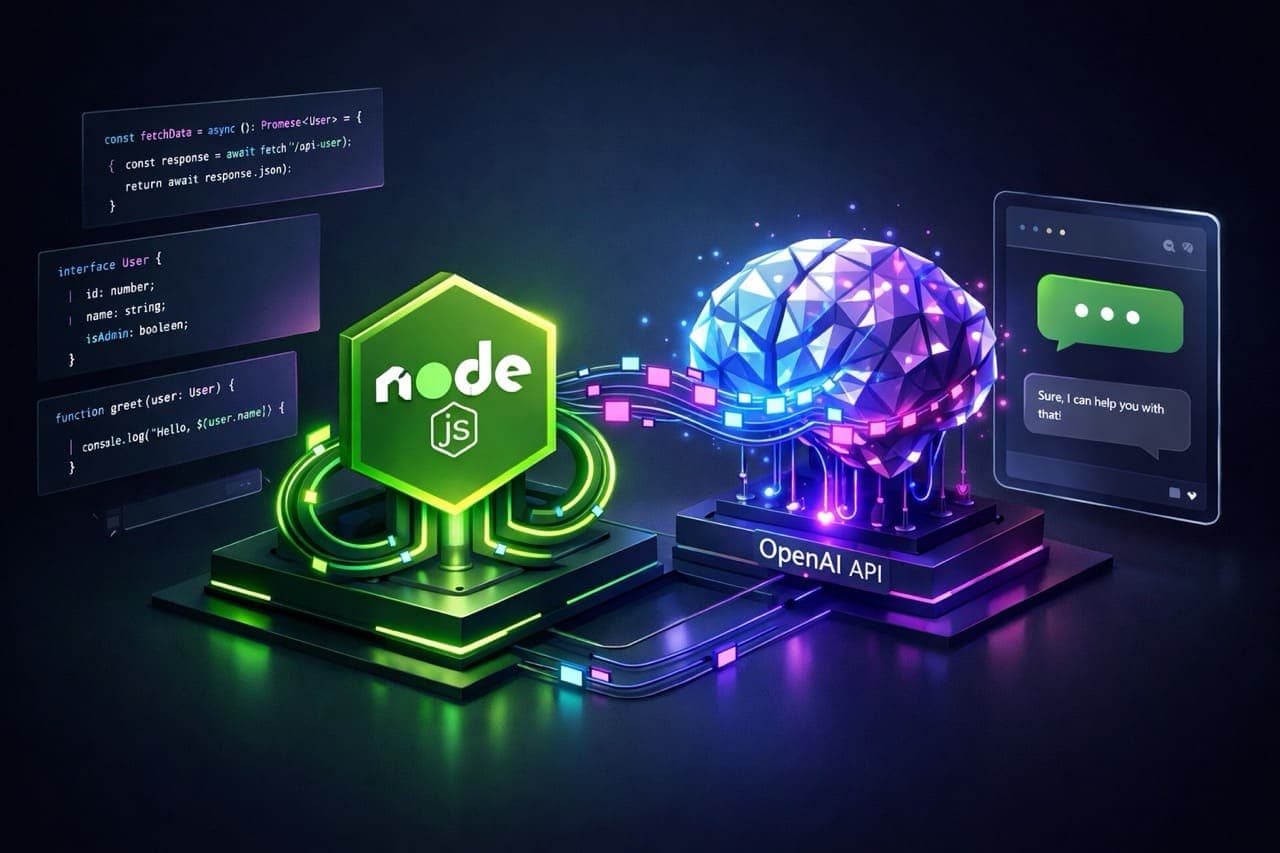
Today, the paradigm has shifted entirely. With Large Language Models (LLMs) like GPT-4o, we don't tell the computer exactly how to reply; we give it a persona, a context, and a goal, and let it generate the response. For JavaScript developers, Node.js is the perfect runtime to orchestrate this interaction. Its non-blocking, event-driven architecture makes it ideal for handling the asynchronous nature of AI requests and real-time data streaming.
1. Understanding the Architecture: Stateless vs. Stateful
Before writing a single line of code, it is crucial to understand how the OpenAI Chat Completions API works. A common misconception among beginners is that the API "remembers" you. It does not.
The API is stateless. If you say "Hi, my name is Alice" in one request, and "What is my name?" in the next, the model will not know who you are unless you send the entire conversation history back with the second request.
The Role of Node.js
This is where your Node.js server comes in. Your backend acts as the "brain" that manages memory. It is responsible for:
- Storage: Saving the chat history (in memory, Redis, or a SQL database).
- Orchestration: Appending new user messages to the history.
- Context Window Management: Ensuring you don't exceed the token limit by trimming old messages.
- Security: Keeping your API key hidden on the server, never exposing it to the client-side browser.
2. Project Setup and Configuration
Let's start by initializing a professional Node.js environment. We will use TypeScript for this example because types are invaluable when dealing with complex API response objects, but the logic applies equally to plain JavaScript.
mkdir ai-chatbot-server
cd ai-chatbot-server
npm init -y
npm install openai dotenv express cors
npm install -D typescript @types/node @types/express @types/cors
npx tsc --init
We are installing openai (the official SDK), dotenv (for security), and express (to build the API).
.env file to GitHub. Your OpenAI API key gives access to your credit card. Always add .env to your .gitignore file immediately.Create a .env file in your root directory:
OPENAI_API_KEY=sk-proj-your-actual-api-key-here
PORT=3000
3. Implementing the Chat Logic
Now, let's write the core logic. We will create a simple Express server that accepts a user message and returns the AI's response. We will use the chat.completions.create method, which is the standard way to interact with models like GPT-4o and GPT-3.5-turbo.
The key concept here is the messages array. It contains objects with a role (system, user, or assistant) and content.
// src/index.ts
import express, { Request, Response } from 'express';
import cors from 'cors';
import dotenv from 'dotenv';
import OpenAI from 'openai';

dotenv.config();

const app = express();
app.use(express.json());
app.use(cors());

// Initialize the OpenAI client
const openai = new OpenAI({
  apiKey: process.env.OPENAI_API_KEY,
});

// A simple in-memory store for conversation history
// In production, use Redis or a database (PostgreSQL/MongoDB)
const conversationHistory: Record<string, Array<any>> = {};

app.post('/chat', async (req: Request, res: Response) => {
  const { message, userId } = req.body;

  if (!message || !userId) {
    return res.status(400).json({ error: 'Message and userId are required' });
  }

  // 1. Retrieve or Initialize History
  if (!conversationHistory[userId]) {
    conversationHistory[userId] = [
      {
        role: "system",
        content: "You are a helpful, witty tech assistant. You love Node.js."
      }
    ];
  }

  // 2. Add User Message to History
  conversationHistory[userId].push({ role: "user", content: message });

  try {
    // 3. Call OpenAI API
    const completion = await openai.chat.completions.create({
      model: "gpt-4o", // Always use the latest stable model
      messages: conversationHistory[userId],
      temperature: 0.7, // Creativity control (0.0 to 2.0)
    });

    const aiResponse = completion.choices[0].message.content;

    // 4. Add Assistant Response to History
    conversationHistory[userId].push({ role: "assistant", content: aiResponse });

    return res.json({ response: aiResponse });

  } catch (error) {
    console.error("OpenAI Error:", error);
    return res.status(500).json({ error: "Something went wrong with the AI." });
  }
});

const PORT = process.env.PORT || 3000;
app.listen(PORT, () => console.log(`Server running on port ${PORT}`));
Breaking Down the Parameters
In the code above, we used a few specific parameters that dictate the "personality" of the bot:
- model: We chose
gpt-4o. This is currently the flagship model offering the best balance of speed and intelligence. For simple tasks, you might swap this forgpt-4o-minito save costs. - temperature: Set to
0.7. This controls randomness. A value of0makes the model deterministic and focused (good for code generation), while1.0or higher makes it creative and unpredictable (good for storytelling). - system message: This is the "God prompt." It sets the behavior. By telling it "You love Node.js," the AI will bias its answers to use Node.js examples.
4. Handling Context and Token Limits
The code above has a fatal flaw for a long-running production app: it will crash eventually.
Every model has a "Context Window"-a limit on how much text it can process at once (input + output). If your conversationHistory array grows too large, the API will return a 400 error.
5. Streaming Responses (The "ChatGPT Effect")
Users hate waiting. If you generate a long essay, it might take the API 10 seconds to finish. If you wait for the whole response, the user stares at a spinner. To fix this, we use Streaming.
Streaming allows you to send chunks of the text to the client as they are generated. Node.js Streams are perfect for this.
// Streaming endpoint example
app.get('/chat/stream', async (req: Request, res: Response) => {
  const { message, userId } = req.query; // Assuming GET for EventSource/SSE

  // ... (History logic setup same as above) ...

  res.setHeader('Content-Type', 'text/event-stream');
  res.setHeader('Cache-Control', 'no-cache');
  res.setHeader('Connection', 'keep-alive');

  const stream = await openai.chat.completions.create({
    model: "gpt-4o",
    messages: conversationHistory[userId as string],
    stream: true, // This is the magic switch
  });

  for await (const chunk of stream) {
    const content = chunk.choices[0]?.delta?.content || "";
    if (content) {
      // Send data in SSE format
      res.write(`data: ${JSON.stringify({ content })}

`);
    }
  }

  res.write('data: [DONE]

');
  res.end();
});
With this setup, your frontend can use the EventSource API to listen to incoming messages and type them out character-by-character, creating that satisfying "typing" effect seen in ChatGPT.
6. Choosing the Right Model
Not all chatbots need the genius of GPT-4o. Choosing the right model is a trade-off between intelligence, speed, and cost.
| Model Family | Best Use Case | Cost Profile | Speed |
|---|---|---|---|
| GPT-4o | Complex reasoning, coding, nuance | Moderate | Fast |
| GPT-4o-mini | Simple Q&A, summarization, high volume | Very Low | Very Fast |
| o1-preview | Deep math, science, heavy logic chains | High | Slow (Think time) |
7. Beyond Text: Function Calling
To make your chatbot truly "smart," it needs to interact with the outside world. OpenAI provides a feature called Function Calling (or Tools).
You can describe a JavaScript function to the API, like getCurrentWeather(city). If the user asks "What's the weather in London?", the model won't hallucinate an answer. Instead, it will return a JSON object telling you to run that function. You run the code in Node.js, get the result, feed it back to the AI, and the AI generates the final answer.
FAQ: What about the Assistants API?
You might have seen OpenAI's "Assistants API," which manages history (threads) automatically. Should you use it?
Ideally, yes, for complex agents. It handles file retrieval and code execution natively. However, for a standard chatbot where you want full control over the database and latency, the Chat Completions API (what we used above) is often faster, cheaper, and offers more granular control over the context window.
Final Verdict: Building for the Future
Building a chatbot with Node.js and OpenAI is no longer about struggling with natural language processing algorithms. It is about systems engineering. Your job is to build the reliable pipes (Node.js) that channel the water (Data) to the turbine (AI).
As we look toward late 2026, the lines between "chatbot" and "software" will disappear. Applications will simply have conversational layers. By mastering this API integration today, you are preparing yourself to build the "Agentic" workflows of tomorrow, where bots don't just talk-they take action.
Key Takeaways
- The OpenAI API is stateless; your Node.js server must manage the conversation history.
- Never expose your API keys on the client side; always proxy requests through your own backend.
- Use Streaming to improve Perceived Latency and keep users engaged.
- Implement a sliding window mechanism to prevent running out of Context Tokens.
- Use Function Calling to give your bot real-time powers, like checking stock prices or database records.